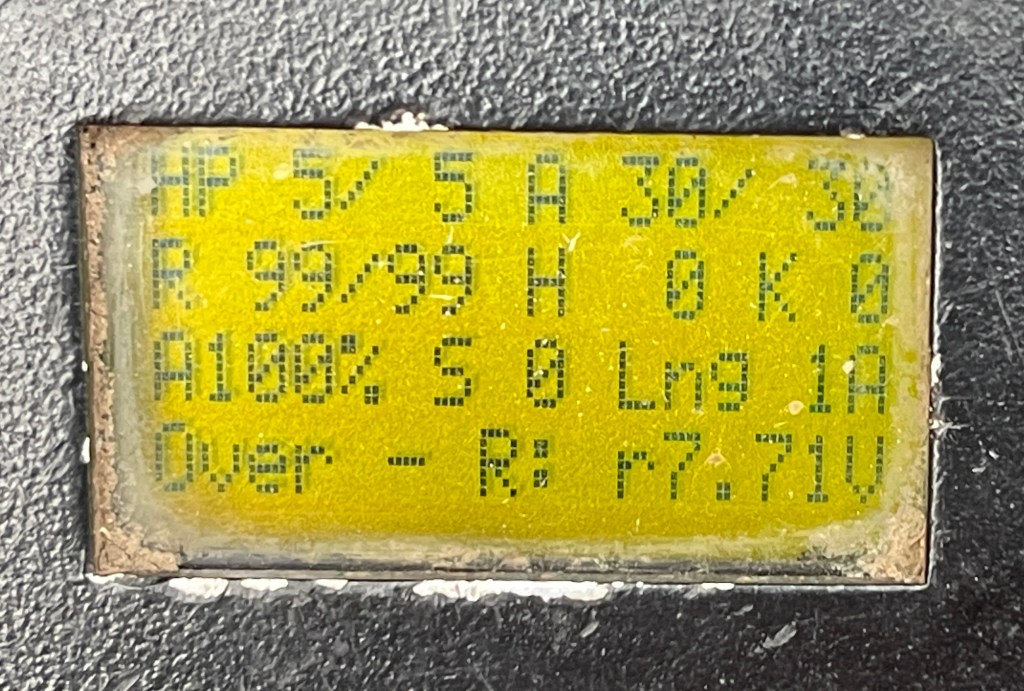
This is what’s shown on the screens on all guns. This particular screen is from a spitfire. You can tell because of the amount of chips, scratches and dirt on the gun – at least one per day is dropped onto gravel or grass. The screens can be cycled using the red or black button (with the exception of the first image).
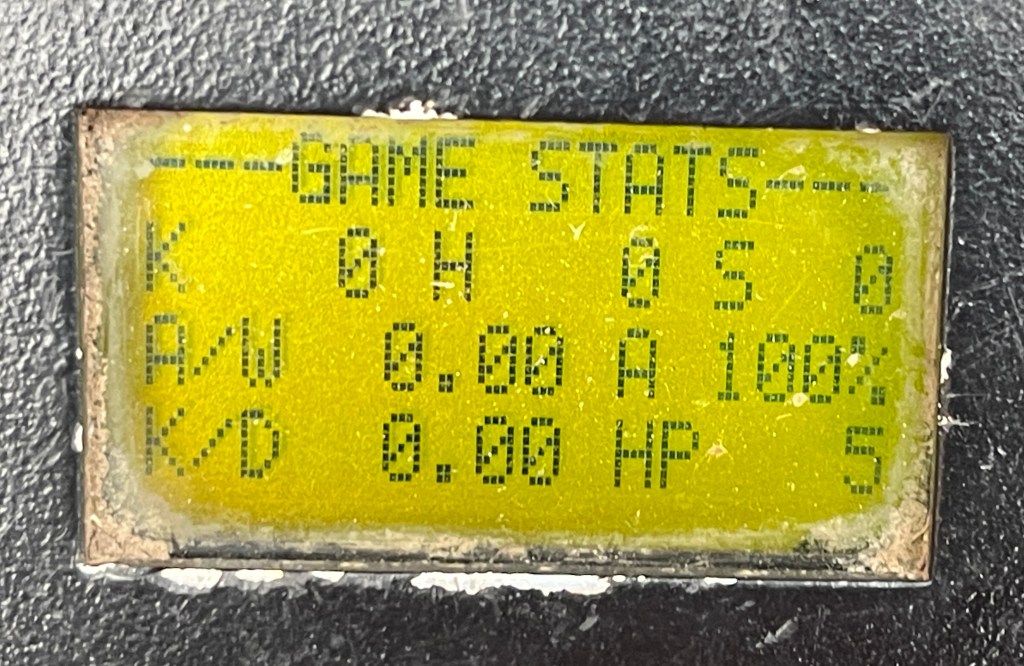
This is the main screen. During a game this is the only screen you can see as the red button is used for reloading and the black button is to change fire rate. Starting from the top left you have the health points. Next to it is the amount of rounds you have left in your current mag next to the capacity. if the number of rounds left in the mag reaches 0, a clicking noise is played when you pull the trigger. Below the HP is the amount of reloads you have left. You can tell this gun is either in Standard or Hard mode because if it was on Easy this would say unlimited. When the amount of magazines left is 0, a “low ammunition” message is played if you press the red button again. Next to it is the hits and kills you currently have. Getting a kill is the same as hit, it’s just that the person happened to be on 1HP when you hit them. Getting a kill only increments the K number, so it is possible to have more kills than hits. Below the reloads is the accuracy. Next it is the number of times you’ve used the respawn box. Next to that is the range limiter and to the right of that is the team you’re on. 1A or 1B is used to prevent friendly fire and 1X means anyone can shoot you so it is used for free for all. The bottom left is the state – ready is the default state but other states are firing, reloading, dead and over. The gun will no longer fire when in the dead or over state. The red dot will disappear when in the dead state. This can also happen when the gun is firing, but only in Standard or Hard mode. Next to the state is the fire mode. The only options are FA for fully automatic or SA for semi automatic. The bottom right will be filled with a timer once the game starts. When a player dies and respawns, all of their HP and reloads are restored. This can only be done when a player has 0HP. When a player is new missioned, their HP and ammunition is also restored but the hits, kills, reloads and spawns is set to 0 and they go into the session stats. When a gun is turned off and on again, their health will be set back to the default of 5 and all stats will be cleared and not saved.Once the game ends the main screen changes to this. The state in the bottom left will always be over and the bottom right will display the level of charge. At this point the red and black buttons can be used to cycle through the 3 screens.The next screen is the game stats, which shows information about the previous game. The S value will increment by 1 if the game ended while the player was dead to give a true indication of the number of deaths. The kill / death ratio is also displayed in the bottom left.The next screen is the session stats. It gives the same information as the game stats but provides a running total since the gun was turned on.


 Nick’s blog